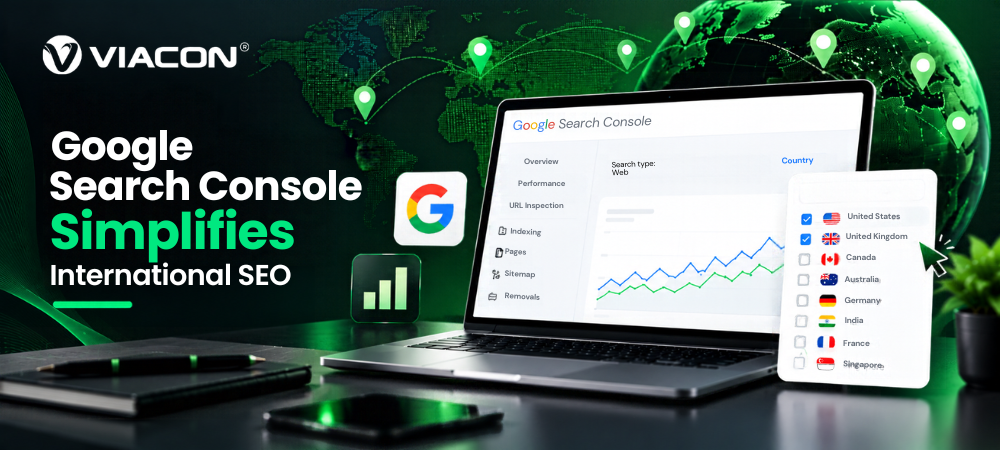
Google has updated the Performance report in Search Console so site owners can see combined Google Search traffic from several countries in one view. Google Search Central announced the change on LinkedIn on October 6, 2026, saying that if you operate in multiple countries, you can now view their combined Google Search traffic.
For international sites, agencies and in-house SEO teams, this removes a routine chore. Until now, teams had to export the data and group countries in spreadsheets or their own software. As sites add more regional pages, more hreflang setups and more markets, small reporting shortcuts like this add up.
What Google Changed In Search Console?
The country filter in the Performance report now accepts more than one country. In Google’s screenshot, the filter has a Filter tab and a Compare tab, with checkboxes for countries. On the Filter tab, several countries can be selected together. Search Engine Roundtable gave an easy example: tick the United States and Canada, click Update, and the report shows them as one group.
The Report’s Usual Metrics Apply To The Selected Group:
- Clicks
- Impressions
- CTR
- Average position
Before, you looked at one country at a time, or compared two side by side. To see a region as a whole, you had to export each country and add the numbers yourself. Now Search Console does the grouping.
Two details are still unclear. Google’s post says the update covers countries and devices, but it doesn’t say what changed in the Device filter. It also doesn’t say whether the update reaches all properties at once, so some users may not see it yet.
Why This Matters For International SEO?
Any solid international SEO strategy starts with knowing which markets are performing and which aren’t. That is where combined country data helps.
Faster Global Analysis: A single combined view replaces a round of exports. Checking whether a region is growing or shrinking becomes a few clicks.
Easier Regional Comparisons: Group markets by region, then compare the groups. You can see which regions bring the most visibility and clicks and which are slipping.
Cleaner Agency Reporting: Agencies with clients in several countries often spend hours assembling data before each monthly report. Fewer manual steps mean fewer copy-and-paste errors and more time to explain what the numbers mean.
Better Prioritization: Seeing how a set of markets performs together helps teams decide where to spend effort. A region with rising impressions but weak clicks might need better titles or localized content. A stable region may need nothing.
How SEO Teams Can Use The New Feature
- Open Google Search Console and choose your property.
- Go to Performance, then Search results.
- Open the Country filter.
- Select the countries you want to analyze together.
- Look at clicks, impressions, CTR and average position for the group.
- Compare the combined figures with individual countries in the group.
- Use what you find to adjust priorities, such as which markets get new content, localization or technical fixes.
Step 6 matters most. A combined total can hide a strong market and a weak one canceling each other out. One SEO professional made the same point in the comments under Google’s LinkedIn post: compare the combined view with each country separately so one market’s growth doesn’t mask another’s decline.
What This Means for Multi-Market Websites?
- SaaS companies targeting the US, UK and Europe can view English-speaking markets as one group and European markets as another.
- Ecommerce brands shipping to several countries can check whether a regional store is gaining or losing search visibility overall.
- B2B companies with regional sites can compare how each region performs against the others.
- Global enterprises can build reporting views by region instead of by individual country.
- Agencies can produce one consistent view per client.
A team that used to combine data for India, the UAE, Singapore and the UK by hand can now select those four countries and see them together in Search Console.
What The Update Doesn’t Solve
Combined reporting is a summary, and summaries hide detail. It doesn’t replace country-level analysis.
Teams Will Still Need Individual Country Data To Understand:
- Local keyword behavior
- Differences in search intent
- Regional rankings
- Local competitors
- Cannibalization between country pages
- Country-specific landing pages
- Technical problems, such as hreflang or indexing errors affecting one market
For those technical and structural problems, a full international SEO audit is still the right tool, because a combined traffic view can show that something is wrong but not why.
Large sites also still run into the interface’s 1,000-row limit, so a rise in brand queries from a smaller market can easily go unnoticed in a combined view. Some SEOs get around this by setting up a separate property for each market.
The feedback under Google’s post also shows what people still want. Commenters asked for more granular reporting and for AI Overviews, AI Mode and Gemini to be reported separately. Neither is part of this update.
The Bigger Shift In Google Search Console
Search Console keeps getting better at slicing performance by market, device and search behavior, which makes it more useful for market-level decisions and not only page-level troubleshooting. Demand for clearer reporting on AI-related search features is growing too, though that is a separate matter from this release.
What SEO Professionals Should Do Now
- Review how you build international reports today and note where manual work can be dropped.
- Group countries that share similar goals, such as language, product availability or revenue targets.
- Set benchmarks for each region so changes mean something.
- Compare combined and individual-country data every time to catch hidden swings.
- Look for markets with high impressions but low CTR.
- Look for markets where rankings are improving, but clicks aren’t.
- Build the new view into your monthly SEO reviews.
Final Takeaway
This isn’t an algorithm change and won’t move rankings. Its value is in reporting: less manual work and quicker answers for anyone managing search performance across markets. Keep the country-level view for deeper optimization, and use the combined view for the big picture.